Zavireqo
Neon Library
Neon Library
Couldn't load pickup availability
1. Problem Statement
As interface projects grow, visual and structural inconsistencies can become difficult to notice. Typography roles, spacing values, navigation patterns, action labels, and interaction states may vary from one screen to another. These differences can weaken the relationship between screens and make the overall journey harder to follow. Learners may focus on decorative details while larger issues in content order or interaction logic remain unresolved. Neon Library introduces a structured method for reviewing and refining complex interface systems.
2. Solution
Neon Library combines interface planning, visual direction, content structure, and interaction documentation within one connected curriculum. Learners examine how shared rules can guide several screens without making every layout identical. Each module includes practical exercises that connect visual choices with user needs and screen purpose. Comparison activities help learners identify inconsistencies and record thoughtful revisions. The course supports a detailed approach to creating organized interface systems with clear reasoning behind each decision.
3. What’s Inside
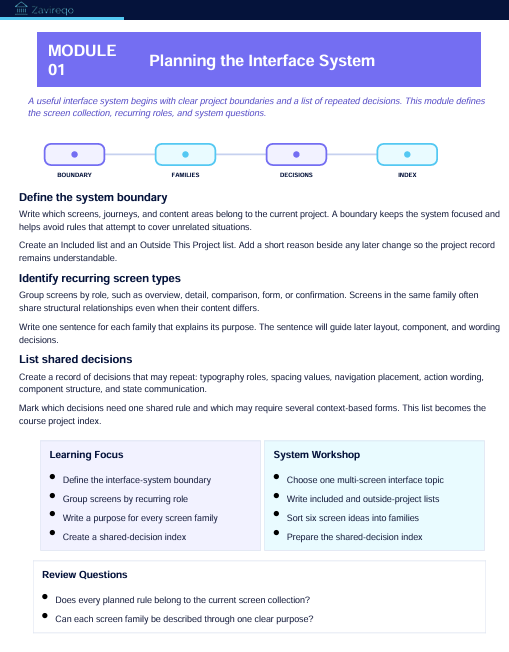
The opening module introduces interface system planning. Learners define project boundaries, identify recurring screen types, and record which visual and structural decisions should remain consistent.
The second module explores typography architecture. It covers heading roles, supporting text, labels, instructions, action wording, text density, and relationships between different content levels.
The third module focuses on spacing and layout rules. Learners create a structured spacing scale, define alignment points, organize content widths, and document repeated relationships between interface elements.
The fourth module examines navigation patterns. Learners compare primary navigation, supporting routes, return paths, section changes, and contextual actions across several screens.
The fifth module covers component structure. It explores fields, buttons, cards, notices, content groups, navigation areas, and repeated sections through purpose, content, state, and placement.
The sixth module develops interaction documentation. Learners describe what changes after an action, how information is presented during waiting states, and how confirmation, empty, and error conditions should be communicated.
The seventh module focuses on visual emphasis. Activities examine contrast, scale, position, spacing, and content grouping as methods for directing attention without overcrowding the interface.
The eighth module introduces content consistency. Learners compare headings, labels, instructions, and feedback messages to identify unclear wording or unnecessary variation.
The ninth module covers multi-screen review. Learners place related layouts side by side, trace user routes, compare repeated elements, and record changes in a revision log.
The closing module brings the curriculum together through a detailed interface-system project. Learners prepare project notes, typography rules, spacing records, component documentation, interaction states, connected screens, and a written review.
Included materials feature planning sheets, typography maps, spacing tables, component records, state-planning pages, content comparison prompts, route reviews, revision logs, and reflection questions.
4. Who Is This For?
Neon Library is intended for learners who want to study UI/UX systems through detailed project work. It suits students, developing designers, visual thinkers, and people creating interface collections with several connected screens.
The course may be useful for learners who already understand core layout and interaction concepts but want a more structured review process. Previous experience with screen sequences may be helpful, though every method is explained through guided activities.
5. What You’ll Learn
- How to define shared rules for connected screens
- How to organize typography roles
- How to create consistent spacing relationships
- How to document navigation patterns
- How to structure repeated interface components
- How to record interaction conditions
- How to plan clear visual emphasis
- How to review interface wording
- How to compare related screens
- How to identify unnecessary variations
- How to document revisions
- How to prepare a detailed interface system
- How to explain visual and structural decisions
- How to present a connected UI/UX project
6. 30-Day Refund Terms
Enrollment in Neon Library includes a 30-day refund period. A refund request may be submitted within 30 calendar days from the enrollment date.
Requests are reviewed under the terms presented during checkout and on the store policy page. Processing periods may vary depending on the payment method and banking provider. Learners should review the complete refund terms before enrollment.
Self-paced learning overview
- 📥 Digital file available after purchase
- 📚 Long-term availability
- 🔒 Secure checkout
- 🗓️ Content updated in 2026
How are the courses organized?
How are the courses organized?
Each course is divided into structured modules that cover one topic at a time. Learners can move through the materials in order, revisit earlier sections, and complete practical activities at their own pace.
Do I need prior UI/UX knowledge?
Do I need prior UI/UX knowledge?
No previous background is required. The materials begin with core concepts and gradually introduce research methods, interface structure, visual hierarchy, layout thinking, and design decisions.
What kind of materials are included?
What kind of materials are included?
Depending on the selected plan, materials may include written lessons, guided activities, design prompts, checklists, reference sheets, planning documents, and project-based exercises. Each plan presents its contents clearly before enrollment.
Share