Zavireqo
Loom Capsule
Loom Capsule
Couldn't load pickup availability
1. Problem Statement
Interface layouts can feel disconnected when content, spacing, navigation, and interaction patterns are planned separately. Learners may create visually appealing screens without defining how repeated elements should relate to one another. This can lead to inconsistent spacing, unclear content order, changing action labels, and uneven screen transitions. Without a shared structure, revisions may introduce further differences instead of bringing the project together. Loom Capsule addresses this challenge through a detailed method for connecting interface elements across a complete screen sequence.
2. Solution
Loom Capsule guides learners through a layered interface-building process. Each module introduces one area of design thinking and connects it with decisions made in earlier sections. Learners organize content, define screen relationships, establish repeated visual rules, and document interaction states. Practical activities encourage comparison between screens rather than isolated layout work. The course supports the development of thoughtful interface collections with clear relationships between content and actions.
3. What’s Inside
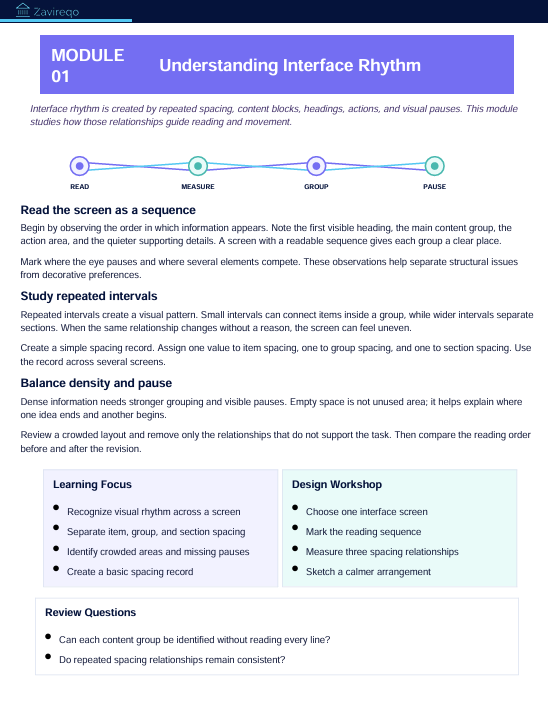
The opening module introduces interface rhythm. Learners examine how repeated spacing, content blocks, headings, actions, and visual pauses influence the flow of information across a screen.
The second module focuses on content hierarchy. Learners organize primary messages, supporting details, labels, instructions, and actions according to their role within the user journey.
The third module explores layout relationships. It covers columns, margins, alignment points, content widths, section spacing, and repeated placement rules. Learners create a layout guide that can be used across several screens.
The fourth module introduces component grouping. Learners examine how headings, text, buttons, fields, cards, and navigation elements can be arranged into reusable interface sections.
The fifth module covers screen families. Learners identify screens that share a purpose or structure and document where their layouts should remain consistent or respond to different content needs.
The sixth module focuses on interaction continuity. Learners plan what happens before, during, and after an action. Activities include writing interface messages, arranging feedback states, and documenting changes between screen conditions.
The seventh module examines content tone. Learners practise writing concise headings, instructions, helper text, action labels, confirmation messages, and error explanations that follow one consistent direction.
The eighth module introduces responsive layout thinking without referring to specific devices or systems. Learners consider how content order, spacing, grouping, and action placement may adapt when the available viewing area changes.
The ninth module focuses on comparison and revision. Learners place related screens beside one another, identify visual or written differences, and record which changes would strengthen continuity.
The final module combines all topics in a guided screen-collection exercise. Learners prepare a project direction, content hierarchy, layout guide, component groups, interaction notes, written content, and a final review document.
Course materials include hierarchy worksheets, spacing records, content maps, component-grouping pages, screen comparison activities, state-planning sheets, writing prompts, revision checklists, and reflection questions.
4. Who Is This For?
Loom Capsule is intended for learners who want to create stronger relationships between several interface screens. It suits students, developing designers, visual thinkers, and learners who enjoy structured project work.
The course may be useful for people who understand basic UI/UX concepts but want to improve consistency across layouts, content, and interactions. Previous experience with multi-screen exercises may be helpful, though every method is explained through detailed guidance and practical activities.
5. What You’ll Learn
- How to establish visual rhythm across interface screens
- How to arrange primary and supporting content
- How to define shared layout relationships
- How to group interface elements into reusable sections
- How to organize related screens into families
- How to document changes between interaction states
- How to write consistent interface messages
- How to plan content for different viewing areas
- How to compare several screens side by side
- How to identify inconsistent spacing and placement
- How to record revisions with clear reasoning
- How to prepare a connected screen collection
- How to present layout and interaction decisions
- How to build a detailed interface review document
6. 30-Day Refund Terms
Enrollment in Loom Capsule includes a 30-day refund period. A refund request may be submitted within 30 calendar days from the enrollment date.
Requests are reviewed under the terms presented during checkout and on the store policy page. Processing periods may vary depending on the payment method and banking provider. Learners should review the complete refund terms before enrollment.
Self-paced learning overview
- 📥 Digital file available after purchase
- 📚 Long-term availability
- 🔒 Secure checkout
- 🗓️ Content updated in 2026
How are the courses organized?
How are the courses organized?
Each course is divided into structured modules that cover one topic at a time. Learners can move through the materials in order, revisit earlier sections, and complete practical activities at their own pace.
Do I need prior UI/UX knowledge?
Do I need prior UI/UX knowledge?
No previous background is required. The materials begin with core concepts and gradually introduce research methods, interface structure, visual hierarchy, layout thinking, and design decisions.
What kind of materials are included?
What kind of materials are included?
Depending on the selected plan, materials may include written lessons, guided activities, design prompts, checklists, reference sheets, planning documents, and project-based exercises. Each plan presents its contents clearly before enrollment.
Share