Zavireqo
Arc Library
Arc Library
Couldn't load pickup availability
1. Problem Statement
Many UI/UX learners can create individual interface screens but struggle to connect them into one coherent experience. Navigation, content hierarchy, repeated elements, and interaction states may follow different directions across the same project. This can make the interface feel fragmented and difficult to review. Learners may also revise visual details before identifying deeper issues within the structure or user route. Arc Library addresses these challenges by presenting a connected method for planning, building, and reviewing multi-screen interface work.
2. Solution
Arc Library guides learners through a complete interface sequence built around one central user task. Each module connects project goals with content priorities, navigation choices, screen purpose, and interaction behavior. Practical activities encourage learners to examine how every screen supports the wider route. Structured review prompts help identify repeated content, unclear actions, and inconsistent visual patterns. The course is designed to support steady skill development through detailed project work and written design reasoning.
3. What’s Inside
The opening module introduces project framing. Learners define the interface purpose, intended audience, central task, supporting actions, and completion point.
The second module focuses on content planning. Learners prepare a detailed inventory, group related information, remove repeated items, and establish a meaningful order for each section.
The third module explores navigation structure. It covers entry points, primary routes, supporting routes, return paths, section labels, and relationships between connected screens.
The fourth module introduces screen architecture. Learners define the purpose of each screen, select its primary action, arrange supporting content, and record how it connects with surrounding layouts.
The fifth module examines visual hierarchy. Activities explore typography roles, spacing, alignment, contrast, content density, and repeated placement patterns.
The sixth module focuses on interaction states. Learners plan active, inactive, waiting, empty, confirmation, and error conditions while writing concise supporting messages for each one.
The seventh module covers component relationships. Learners study how buttons, fields, cards, navigation areas, notices, and content groups can remain consistent across different contexts.
The eighth module explores journey continuity. Learners trace the complete route, compare transitions, review action wording, and identify moments where additional explanation may be useful.
The ninth module introduces structured critique. Learners examine their work through content, usability, hierarchy, consistency, and interaction criteria rather than visual preference alone.
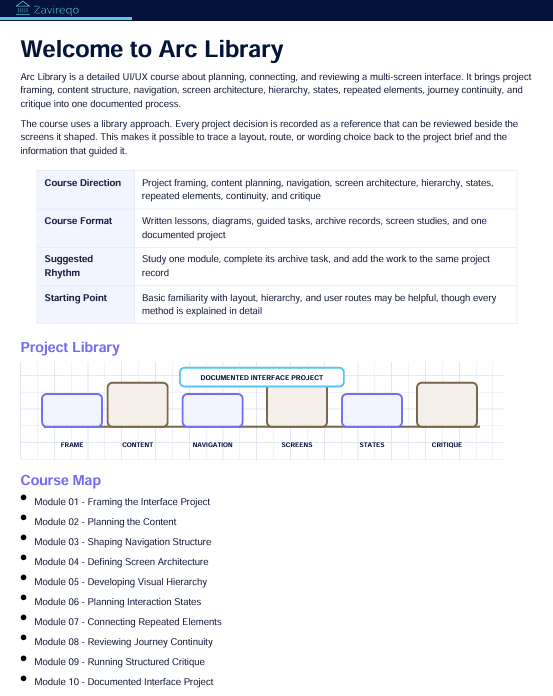
The final module brings every topic together in a documented interface project. Learners prepare a brief, content map, route diagram, screen sequence, interaction notes, revision record, and written project reflection.
Included materials contain planning worksheets, route maps, screen records, hierarchy exercises, state-planning pages, critique prompts, revision sheets, and project presentation guidance.
4. Who Is This For?
Arc Library is intended for learners who want to develop connected UI/UX projects with greater depth and organization. It suits students, developing designers, creative thinkers, and people building structured case exercises.
The course may be useful for learners who understand individual design topics but want to combine them within one complete project. Familiarity with layout, hierarchy, and basic user routes may be helpful, though each method is explained through guided activities.
5. What You’ll Learn
- How to define a focused interface project
- How to organize complex content
- How to map primary and supporting user routes
- How to define a purpose for every screen
- How to establish consistent visual hierarchy
- How to plan different interaction conditions
- How to write concise interface messages
- How to connect repeated interface elements
- How to review transitions between screens
- How to identify unclear actions and repeated content
- How to conduct a structured interface critique
- How to document revisions and design reasoning
- How to prepare a connected multi-screen project
- How to present project decisions in an organized format
6. 30-Day Refund Terms
Enrollment in Arc Library includes a 30-day refund period. A refund request may be submitted within 30 calendar days from the enrollment date.
Requests are reviewed according to the terms presented during checkout and on the store policy page. Processing periods may vary depending on the payment method and banking provider. Learners should read the complete refund terms before enrollment.
Self-paced learning overview
- 📥 Digital file available after purchase
- 📚 Long-term availability
- 🔒 Secure checkout
- 🗓️ Content updated in 2026
How are the courses organized?
How are the courses organized?
Each course is divided into structured modules that cover one topic at a time. Learners can move through the materials in order, revisit earlier sections, and complete practical activities at their own pace.
Do I need prior UI/UX knowledge?
Do I need prior UI/UX knowledge?
No previous background is required. The materials begin with core concepts and gradually introduce research methods, interface structure, visual hierarchy, layout thinking, and design decisions.
What kind of materials are included?
What kind of materials are included?
Depending on the selected plan, materials may include written lessons, guided activities, design prompts, checklists, reference sheets, planning documents, and project-based exercises. Each plan presents its contents clearly before enrollment.
Share